Amtaar app guide
Getting started with the Amtaar app
From download to a verified account ready to invest. Signing up takes a couple of minutes; the identity check needs your Egyptian national ID and your phone’s camera.
Updated 4 October 2026 · Amtaar app version 1.10
In short
- Download Amtaar free from the App Store or Google Play.
- Sign up with your Egyptian mobile number and the 6-digit code we send you by SMS. There is no password.
- Create a 6-digit PIN, confirm your email with a code, and complete the face check with your national ID.
- Once phone, email, PIN and face check are done, you can invest and add money to your wallet. Fingerprint login is optional.
- Change the app language any time from Profile → Language (English or العربية).
- FreeOn the App Store and Google Play
- 6 digitsYour SMS code and your PIN
- 4 stepsPhone, email, PIN and face check
- AR / ENThe app works in Arabic and English
Part 1
Download the app and sign up
- 1Download Amtaar from the Apple App Store or Google Play and open it.
- 2Enter your Egyptian mobile number (it starts with 010, 011, 012 or 015).
- 3Type the 6-digit code we send you by SMS. Your account is created and your phone number is verified.
- 4If a friend invited you, open the app from their invite link, or enter their referral code when you sign up. You both receive a reward.
You can request up to 5 codes an hour. If a code does not arrive, wait a minute and request another. If you are abroad and cannot receive SMS, contact Amtaar support on WhatsApp.
Part 2
Verify your account
Before you can invest or add money to your wallet, the app asks you to complete four checks. You can do them in any order:
- 1. Phone number
- Done when you enter the SMS code at sign-up.
- 2. PIN
- Create a 6-digit PIN (numbers only). You use it to open the app and confirm actions. Do not share it with anyone.
- 3. Email
- Enter your email and type the 6-digit code we send to it. Each email can be used on one Amtaar account only.
- 4. Identity (face check)
- Scan the front of your Egyptian national ID and take a short selfie video so the app can match your face to your ID. Your name on Amtaar is then taken from your ID.
If you try to invest before finishing, the app tells you which step is missing. Each national ID can be verified on one Amtaar account only.
Part 3
Log in with your PIN or fingerprint
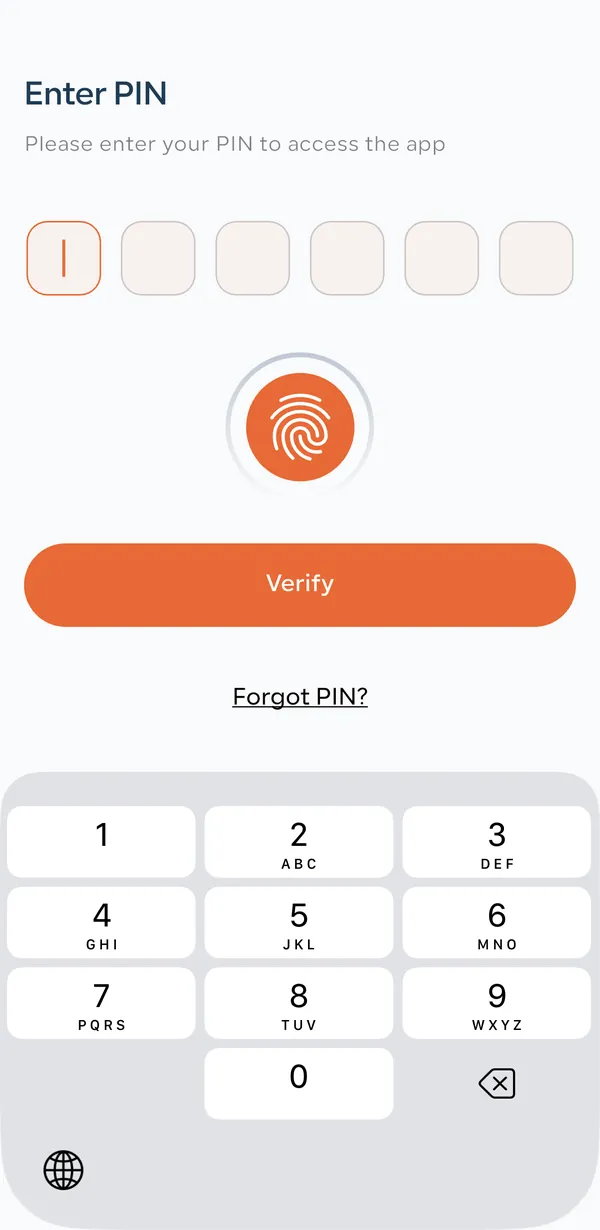
Each time you open the app it asks for your PIN on the Enter PIN screen. Type your 6 digits and tap Verify, or tap the fingerprint button to use your fingerprint or Face ID if you turned it on.
Forgot your PIN? Tap Forgot PIN?, confirm with the SMS code we send to your number, and set a new PIN. For your security, other devices are then signed out.
Part 4
Switch between Arabic and English
- 1Tap Profile in the bottom bar.
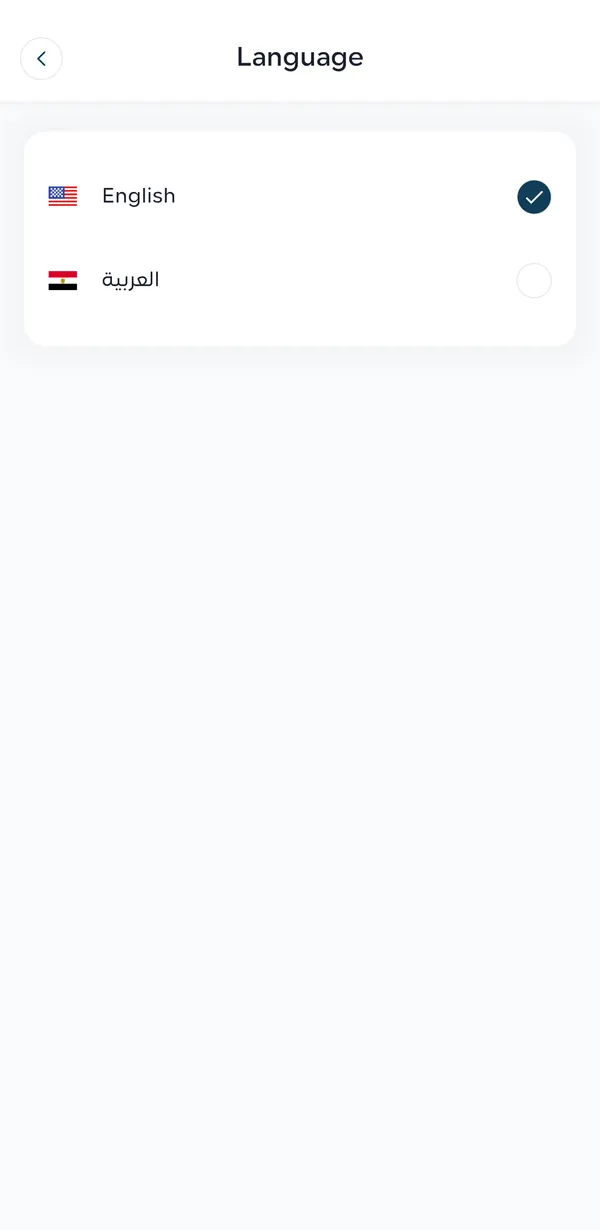
- 2Tap Language.
- 3Choose English or العربية.
The whole app, including notifications, switches to the language you choose.
Part 5
Find your way around
The bar at the bottom has five tabs: Home (properties), Portfolio (your investments), Wallet (your money), Rewards (referrals) and Profile (your account). The app guide has a page for each.
Common questions
How do I create an Amtaar account?
Download the Amtaar app, enter your Egyptian mobile number and type the 6-digit code we send by SMS. Your account is created right away.
Do I need a password?
No. You sign up with your phone number and an SMS code, then open the app with a 6-digit PIN or your fingerprint.
What do I need to verify my identity?
Your Egyptian national ID and your phone’s camera. The app scans your ID and matches it to a short selfie.
What can I do before I verify?
You can browse properties and their forecasts. To invest or add money to your wallet you must verify your phone, email, PIN and identity.
Is fingerprint login required?
No. It is optional and only makes logging in faster.
I forgot my PIN. What do I do?
Tap Forgot PIN? on the Enter PIN screen, confirm with the SMS code sent to your number, and choose a new PIN.
The SMS code did not arrive. What should I do?
Check the number you typed, wait a minute and request a new code. You can request up to 5 codes an hour. If you are abroad, contact support on WhatsApp.
Can I change my phone number?
Not from the app. Contact Amtaar support; the team verifies the request and changes it for you.
Can I have two Amtaar accounts?
No. Each national ID, phone number and email can be used on one account only.