Amtaar app guide
Checking your portfolio and returns in the Amtaar app
The Portfolio tab shows what you own and what it has earned. This guide explains every figure on it, how your actual return is calculated, and how it differs from the 5-year forecast you saw before investing.
Updated 4 October 2026 · Amtaar app version 1.10
In short
- Open the Portfolio tab. Swipe the cards at the top: Total Portfolio Value, Total Rental Income, and Total Rewards.
- Total Rental Income shows everything you have received, your last payout, and your upcoming payout date and estimated amount.
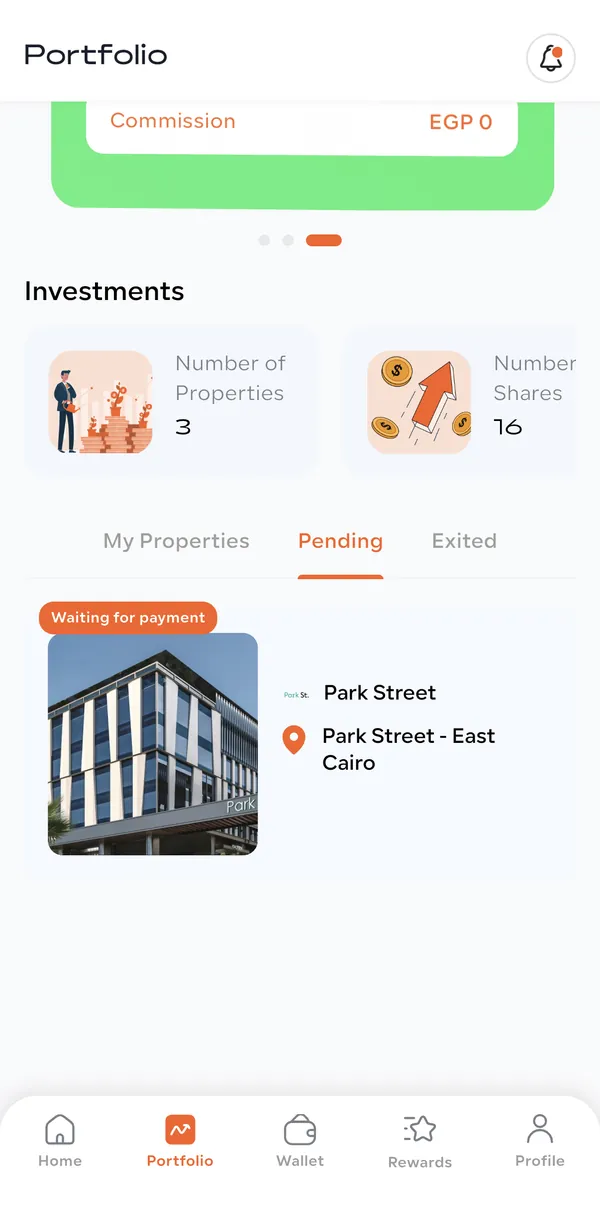
- My Properties lists every property you own with your number of shares and its Total ROI so far. Pending shows orders still being processed.
- Tap a property for Portfolio Detail: your investment value, rent received, capital gain and Total ROI, plus your contract.
- Your actual Total ROI = (rent received + capital gain) ÷ amount invested. The 5-year forecast is a projection, not a guarantee.
Part 1
The three cards at the top
Swipe left and right on the card at the top of the Portfolio tab to switch between three summaries:
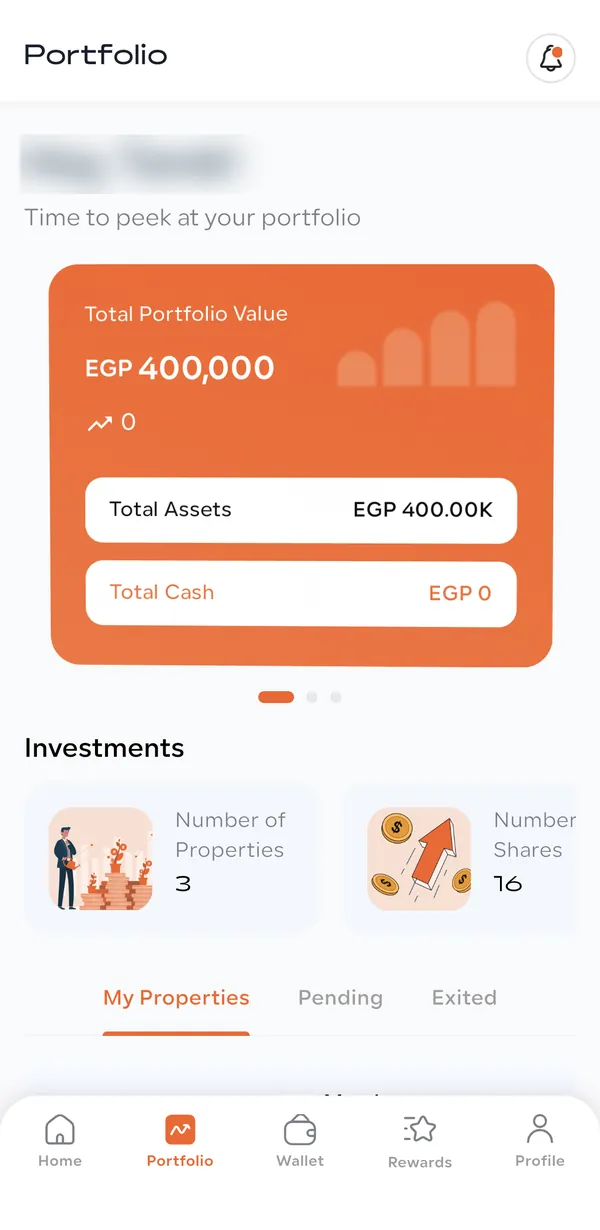
- Total Portfolio Value (orange)
- What your shares are worth today. Below it: Total Assets is the amount you invested, and Total Cash (with the arrow) is the change in value: worth today minus what you paid. It stays at 0 until Amtaar publishes a new fair value for a property. It is not your wallet balance; that is in the Wallet tab.
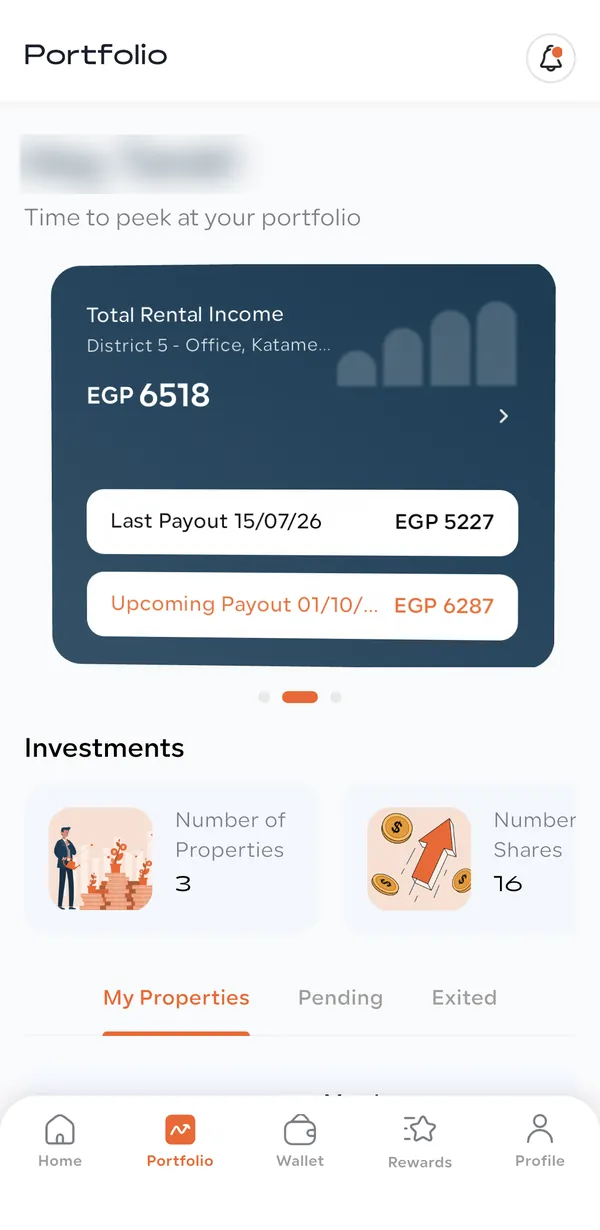
- Total Rental Income (dark blue)
- All the rent paid to you so far, with the properties it came from. Last Payout shows the date and amount of your most recent payout. Upcoming Payout shows the next payout date and the expected amount.
- Total Rewards (green)
- Your referral rewards balance and how many people you have referred. Commission shows rewards you have already used. The Rewards tab has the details.
Under the cards, Investments shows your Number of Properties and Number of Shares.
Part 2
Your upcoming payout
Rental income is paid quarterly. The upcoming payout date is the 1st of the month after the quarter ends: 1 January, 1 April, 1 July or 1 October. If you own several properties, the card shows the earliest date and adds together everything due that day.
Until the quarter’s rent has been collected and calculated, the amount is an estimate based on the expected rent and the shares you hold, so it can change. Once the quarter is calculated it shows your exact figure. When the money is paid it appears in your Wallet as Rental Income.
- Which months count
- You earn for each full month you hold your shares. New shares start earning on the 1st of the month after your purchase.
- What is deducted
- The property’s management fee (5% of the rent on current contracts) is deducted before the rent is shared between investors.
Part 3
My Properties, Pending and Exited
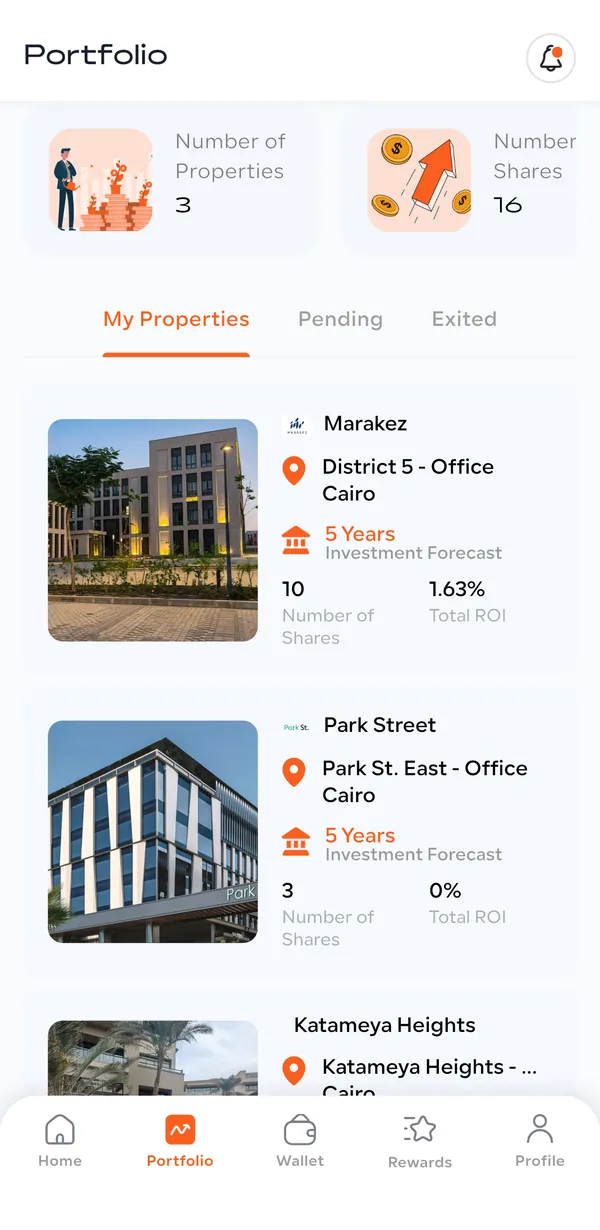
- My Properties
- Every property you own. Each card shows the developer, the unit and city, its 5 Years Investment Forecast, your Number of Shares and your Total ROI so far.
- Pending
- Orders that are not finished yet, with a status badge. For example, Waiting for payment means the receipt has not been uploaded yet; other badges show the payment is being reviewed, more money is needed, or the order is being processed. Shares move to My Properties once they are issued.
- Exited
- Properties you have sold or exited, with the exit date. It is empty until you sell.
Part 4
One property in detail
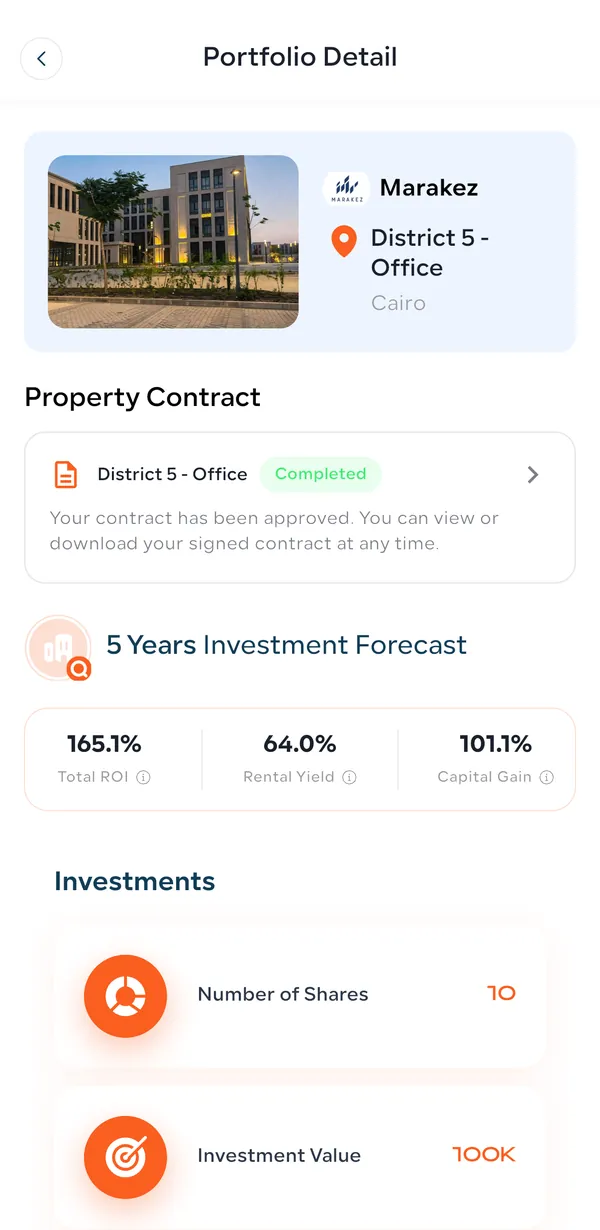
Tap a property under My Properties to open Portfolio Detail:
- Property Contract
- Your contract and its status. Completed means it is approved and you can view or download the signed copy at any time.
- 5 Years Investment Forecast
- The property’s projected Total ROI, Rental Yield and Capital Gain over five years. This is the forecast, the same as on the property page.
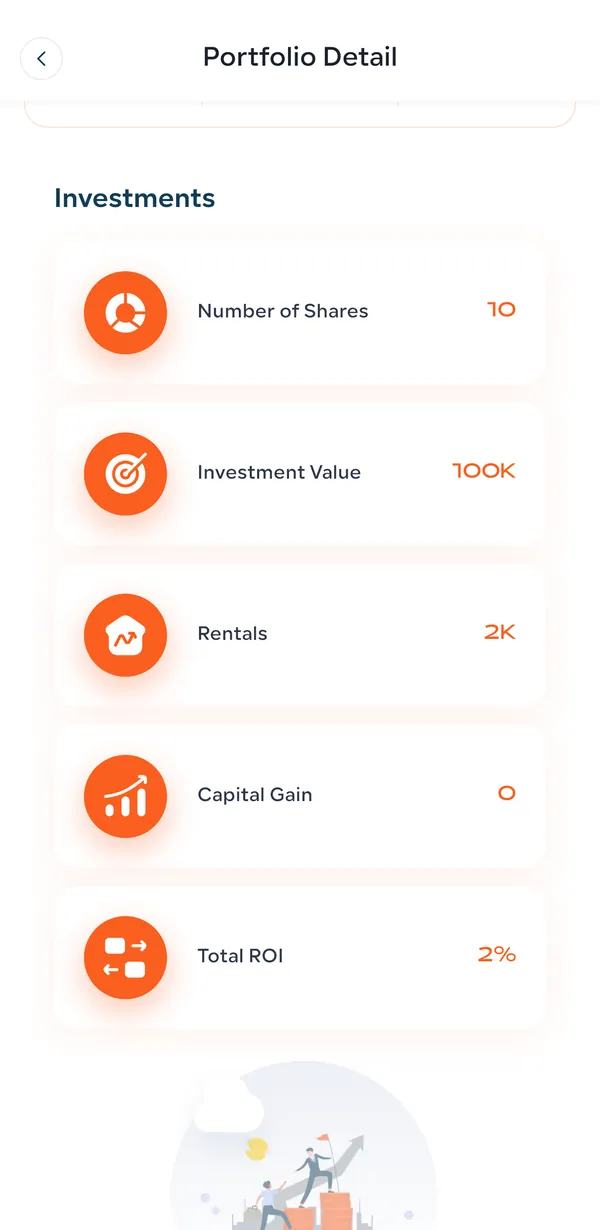
- Investments
- Your own figures: Number of Shares, Investment Value (what you paid), Rentals (rent received from this property), Capital Gain (change in value) and Total ROI.
Part 5
Forecast return vs your actual return
Two kinds of return appear in the app. Knowing which is which avoids confusion:
- The forecast (5 Years Investment Forecast)
- A projection for the property over five years, made before you invest. Total ROI = Rental Yield (expected rent over the five years) + Capital Gain (expected rise in value). Example: Rental Yield 62.0% + Capital Gain 101.1% = Total ROI 163.1%. It assumes rent and value grow every year.
- Your actual Total ROI
- What your shares have really returned so far: (rent you have received + capital gain) ÷ the amount you invested × 100. Example: EGP 100,000 invested, about EGP 2,000 rent received and no change in value = about 2%. It grows as each quarter’s rent is paid.
Common questions
How do I check my returns in the Amtaar app?
Open the Portfolio tab. The Total Rental Income card shows what you have received, and each property under My Properties shows its Total ROI. Tap a property for the full breakdown.
What is Total Portfolio Value?
What your shares are worth today. Total Assets is what you invested, and Total Cash is the difference between the two (your gain), not your wallet balance.
Why does Total Cash show 0?
Total Cash is the change in your shares’ value. It stays at 0 until Amtaar publishes an updated fair value for your properties. Your money is in the Wallet tab.
When is my next rental payout?
The Total Rental Income card shows the Upcoming Payout date and amount. Payouts are quarterly, on the 1st of the month after each quarter ends.
Why did my upcoming payout amount change?
Until the quarter’s rent is collected and calculated, the amount is an estimate. It updates when the rent is confirmed and becomes exact once the quarter is calculated.
How is my Total ROI calculated?
(Rent you have received + capital gain) ÷ the amount you invested × 100, for each property.
Why is my Total ROI lower than the forecast?
The forecast covers five years; your Total ROI is what you have earned so far. It rises with each quarterly payout and with any increase in the property’s value.
What does Pending mean in my portfolio?
Orders that are not finished: waiting for your receipt, under payment review, waiting for more money, or being processed. The shares move to My Properties once issued.
Where is my rental income paid?
Into your Amtaar wallet, as Available Cash. From there you can withdraw it to your bank or reinvest it.